Apps for Good: Servd
Problem Statement and Target Audience
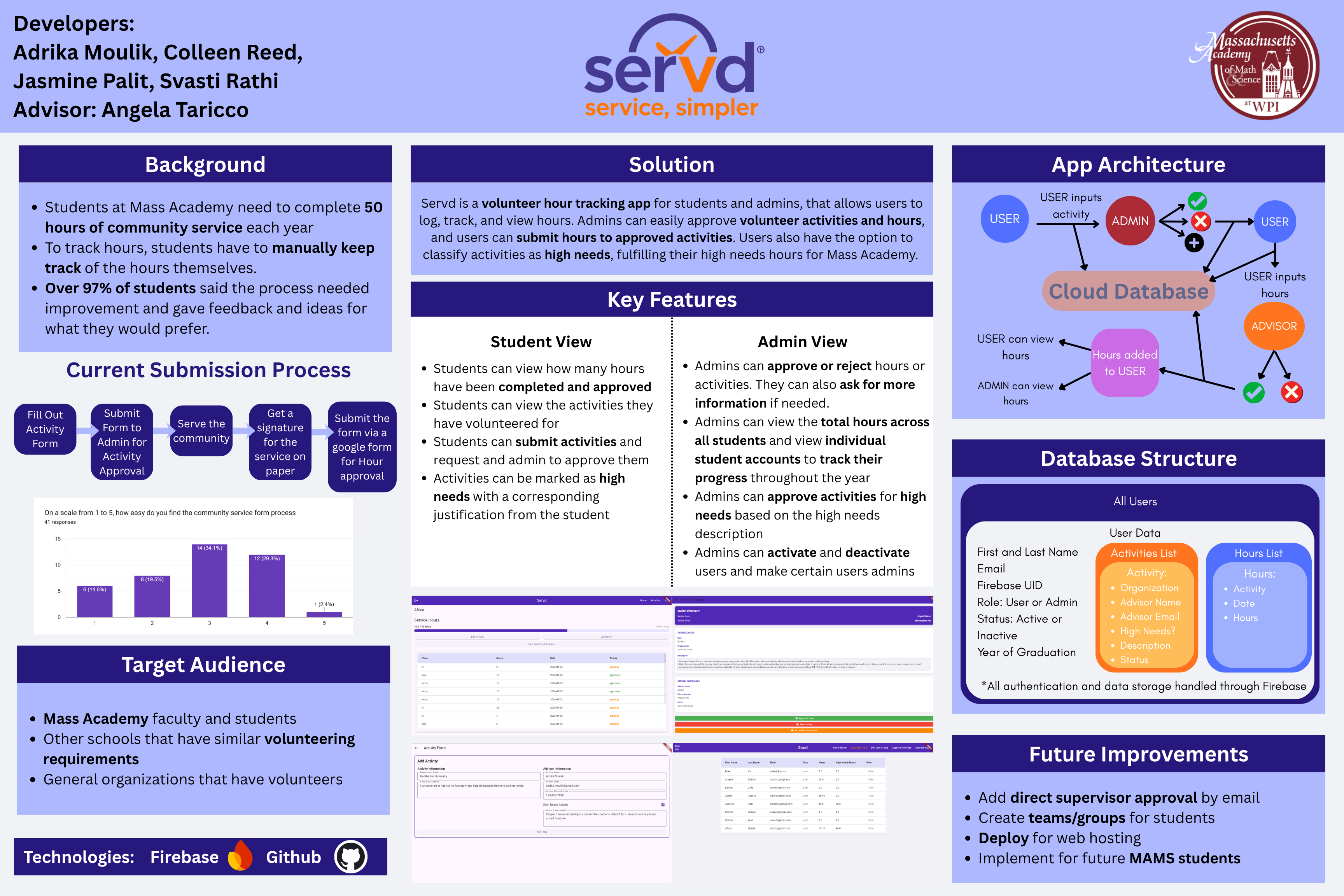
At the Massachusetts Academy of Math and Science, students are required to complete 50 hours of community service each year. However, the existing process for tracking and submitting volunteer hours was inefficient and heavily manual. Students had to keep track of hours themselves, collect physical signatures, and submit forms through multiple steps for approval. Our group also conducted research and gathered feedback from students. Over 97% of surveyed students agreed that the process needed improvement and shared suggestions for a more streamlined system.
Servd was created targeted towards Mass Academy students and faculty, and hoping to streamline the process we go through, but other schools and organizations that require tracking of volunteer hours can also benefit from the app.
Solution
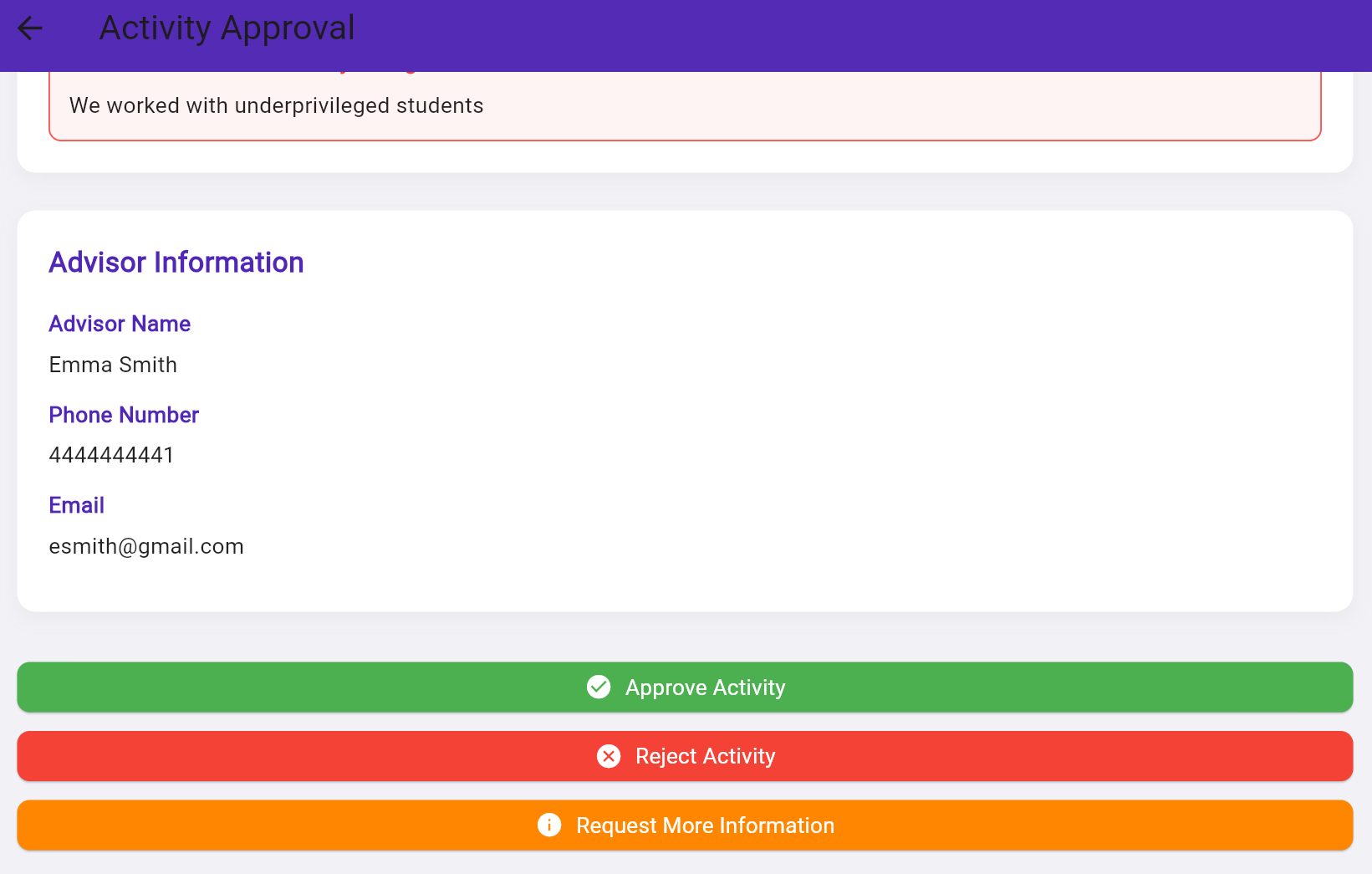
To address the problem, my team and I developed Servd, a volunteer hour tracker and approval app. Students are able to digitally get activities approved, log hours, and track hours. Admins can view each student's data and approve activities and hours. It mimics the process students and admins currently go through with the paper form, but digitalizes it and makes it more streamlined for both parties.
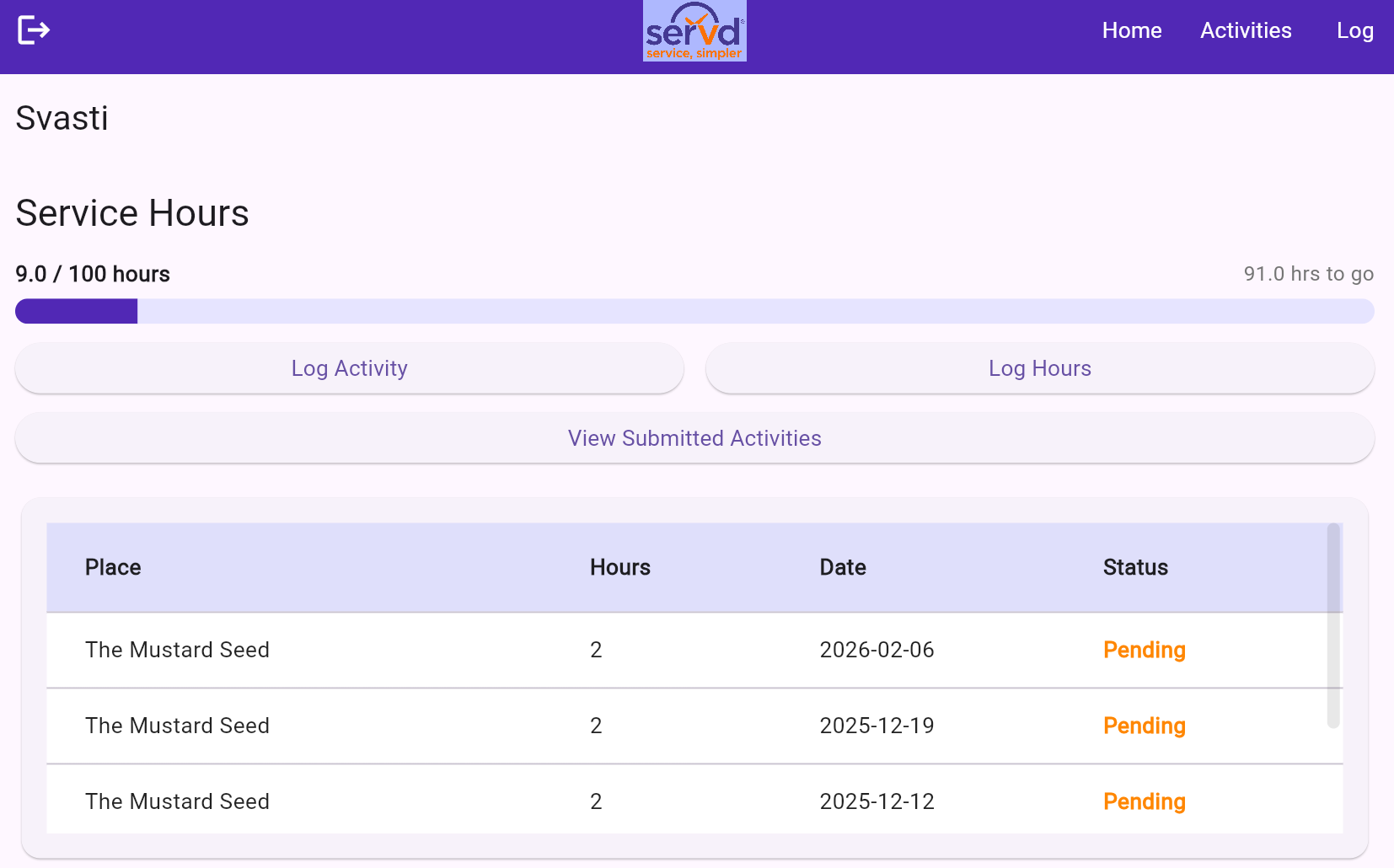
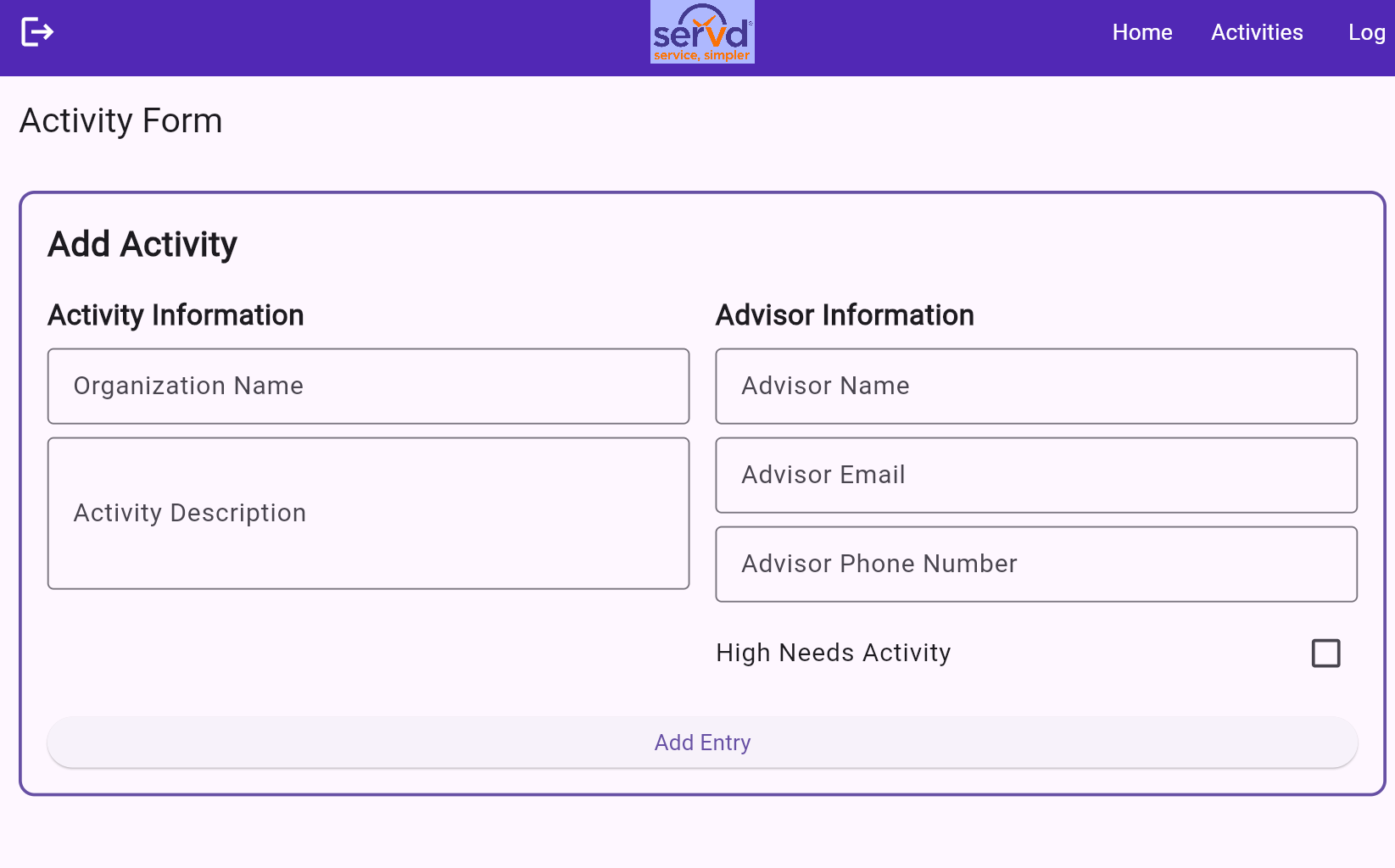
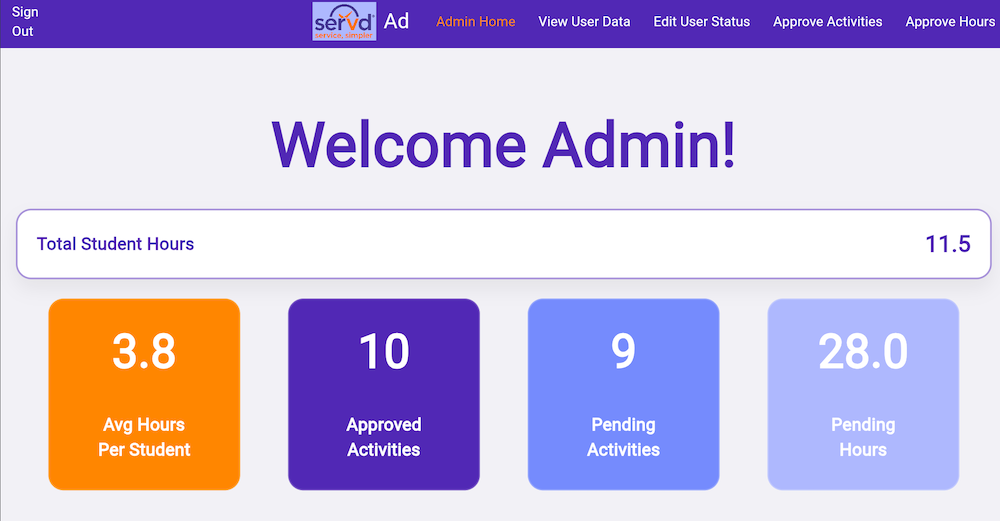
Our MVPs, or Minimum Viable Products, were the basic processes needed for students to track and log their volunteer hours and activities. We wanted students to be able to log their activities and hours into the app. Students should be able to go to a page that allows them to enter the information needed, such as where they are volunteering and who their advisor will be. Similarly, the student should be able to log the volunteer hours they completed. They should be able to go to another new page that allows them to select through their approved activities, type in the number of hours they completed, the date, and then submit them for review. Our second MVP is that students are able to view and track their hours. They should be able to have a way to track the number of hours they have completed out of the 50 required, and also where and when those hours were completed. Our third MVP is that admins are also able to view how many hours each student has completed and what activities they have logged.
Development Process
Research: We began by researching what problems students have with the current volunteer hour submission process. We sent out a school-wide survey, a little under 100 kids, asking questions regarding how they rated the process and what features could be added to make it better. Through that survey, we gained the knowledge that almost all students at Mass Academy had at least some problems with how the volunteer submission works right now, and we also got a lot of ideas on what other features should be added to make the process as streamlined as possible.
Design: Once we decided what functions needed to be implemented, we started designing our app. We first created sketches of what we wanted each page to look like, or at least what functions should be present on each page. We also created an app architecture diagram to see what functions would need to be connected and where we would need to implement special functions, along with data storage.
Implementation: Based on our drawings, we started coding the project. We first started by developing our MVPs, which was definitely a challenge in the beginning, but eventually we got the hang of it! Once we completed our MVPs, we decided to keep developing the app to include the approval functions as well, so the admin is able to digitally approve, reject, or request more information from the students regarding their activities and hours. We used Firebase to store our data and used GitHub for easy collaboration and management of each version and edits made to the code.
Testing: We had been testing our app throughout the process to ensure each function was working as expected and no errors occurred. We had created a test student account and a test admin account. Using these accounts, we were able to go back and forth for each function to make sure they worked properly. We went through multiple test cases to catch any errors in our code, which was definitely helpful.
Application Screenshots
Poster